$ llama-manager

A terminal UI for managing llama.cpp — start and control the server, manage versions, download GGUF models from Hugging Face, and monitor inference performance in real time.

$ npm install -g llama-manager
Latest version Apache 2.0 Node 18+

See it in action

llama-manager
llama-manager demo

Everything in your terminal

F1

Dashboard

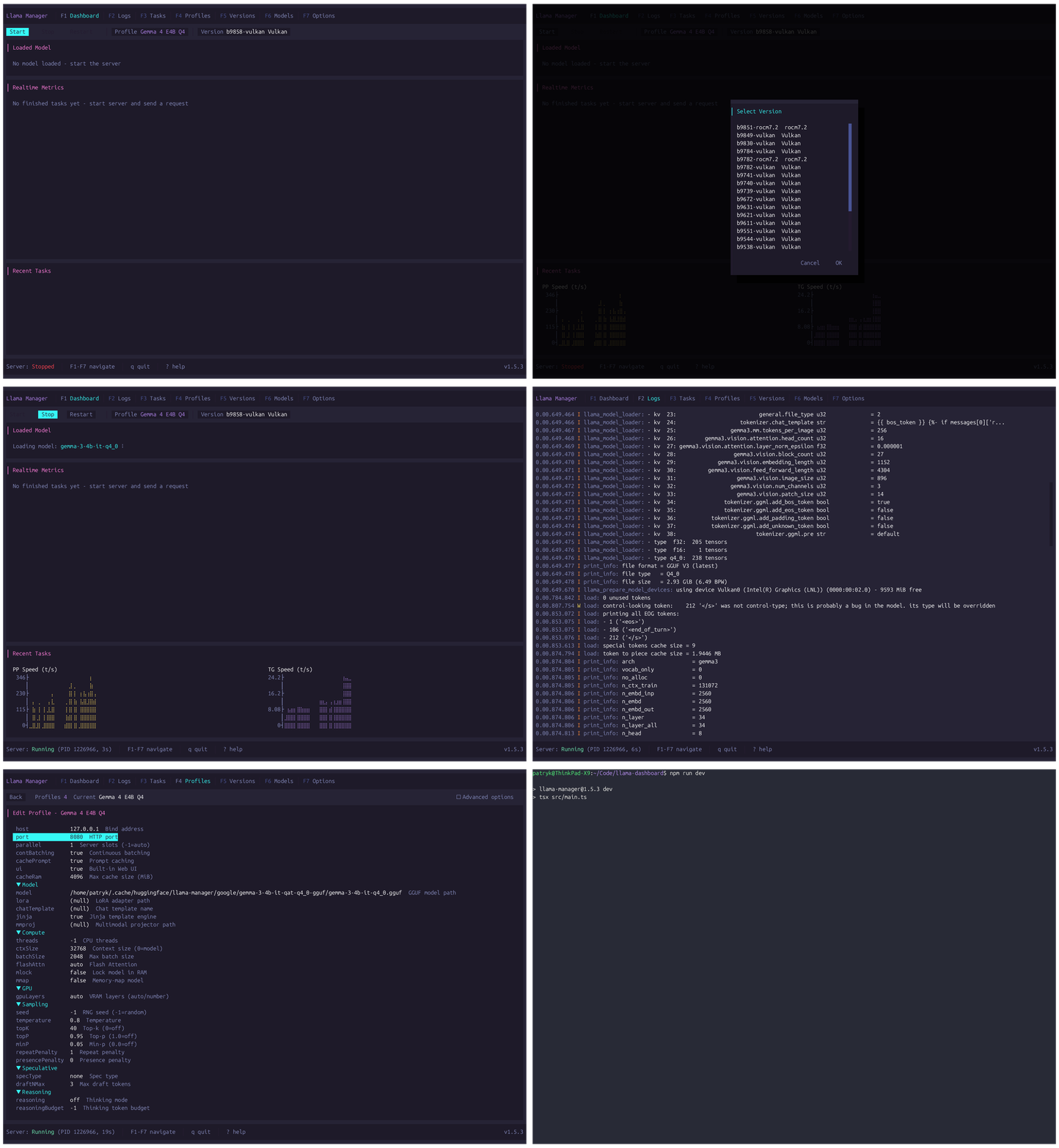
Real-time per-slot metrics, server controls (start/stop/restart), and a live log viewer.

F2

Logs

Dedicated server log viewer with structured severity coloring.

F3

Tasks

Parsed task history with token counts, speeds, draft acceptance, filtering, and SQLite persistence.

F4

Profiles

Named server configurations with type-aware preset editors and free-form arguments.

F5

Versions

Install, switch, and uninstall llama.cpp builds from GitHub releases.

F6

Models

Search Hugging Face, download GGUF models with progress tracking, set active model.

F7

Options

Global settings: paths, poll interval, task limits, appearance, theme, HF token.

Multiple forks, one manager

Install, configure, and switch between llama.cpp forks seamlessly. Each fork's unique CLI flags, preset categories, and backend variants are handled automatically.

llama.cpp
koboldcpp
beellama.cpp
llamacpp-rocm
ik_llama.cpp

33 themes, zero config

Select a theme from the Options tab or press Ctrl+T. Compatible with the catppuccin, dracula, nord, gruvbox ecosystem.

Built with

Language
TypeScript
Rendering
Double-buffered framebuffer
Input
terminal-kit
HTTP
undici
Storage
better-sqlite3
Bundler
tsup (esbuild)

What you need

Ready to manage your local LLMs?

One command. Zero configuration. Full control.

$ npm install -g llama-manager